The best notion templates for youtubers and newsletter writers are the ones that match how you actually publish: video-first, writing-first, or one shared system for repurposing. If you are still building consistency, choose a simple planner. If you already publish on a schedule or reuse ideas across channels, a more connected workspace will save more time.
Best Notion templates for YouTubers
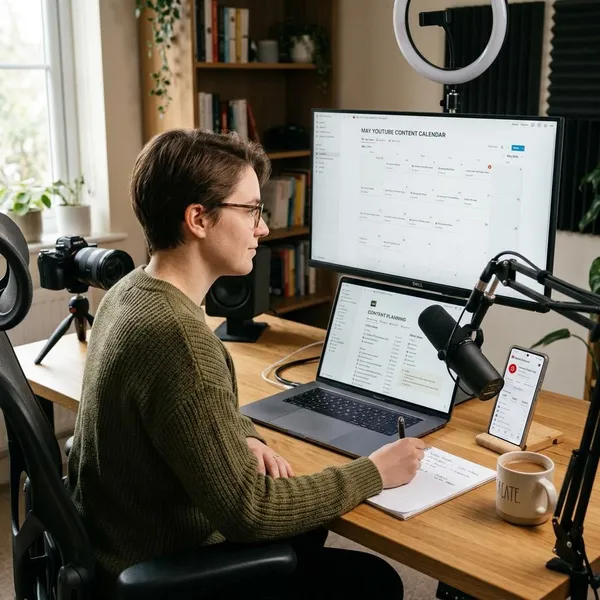
YouTubers need a template that makes production visible. Ideas, scripts, filming, editing, thumbnails, upload dates, and follow-up tasks should not live in six different places.
The first thing to check is whether the template matches your real publishing rhythm. A weekly long-form creator needs more structure than someone posting occasional Shorts. If you work with an editor or designer, status tracking and clear handoff notes matter more than a pretty dashboard.
YouTube Content Planner
A YouTube Content Planner is the safest starting point if your main problem is keeping video ideas moving. It should show what is still an idea, what is scripted, what is ready to film, what is in editing, and what is scheduled.
- Best for: solo creators posting regularly.
- Look for: pipeline views, publish dates, title ideas, thumbnail notes, and script links.
- Avoid if: you mainly need a broad creator business hub with sponsorships, newsletters, and repurposing built in.
Simple Content Planner for Creators
A Simple Content Planner for Creators fits beginners, side-project channels, and creators who do not want to maintain a detailed production system. It works best when you only need idea capture, deadlines, content type, and publishing status. If you often abandon complex templates after a few days, this lighter option is usually the better choice.
Creator's Companion
Creator's Companion is better for creators who treat YouTube as part of a larger content operation. It may include brand assets, goals, sponsor notes, repurposing ideas, task tracking, and content calendars in one place.
Choose this only if those extra areas solve a current problem. For example, if each YouTube video also creates Shorts, a newsletter mention, and affiliate links, keeping everything connected can prevent follow-up tasks from disappearing after upload.

Best Notion templates for newsletter writers
Newsletter writers need a workspace that protects ideas before they become drafts. The useful parts are usually an idea bank, issue calendar, research notes, draft status, recurring sections, and a place to store published issues.
The right choice depends on how heavy your writing process is. A personal weekly note may only need a simple planner, while a research-heavy newsletter needs a stronger system for sources, outlines, and issue themes.
Write OS
Write OS works well if your newsletter starts with thinking, collecting, and drafting over several days. It is not just a place to write; it is a way to move an idea from note to outline to finished piece.
- Use it when: you manage many ideas at once.
- Check for: draft stages, research storage, topic tags, and editorial calendar views.
- Be careful if: you only send short updates and do not need a full writing system.
Newsletter Content Hub
A Newsletter Content Hub is best when the newsletter itself is your main content product. It should help you see upcoming issues, planned themes, recurring sections, and what has already been sent.
Newsletter Planner and Idea Bank
A Newsletter Planner and Idea Bank is the practical choice when your biggest problem is not writing, but choosing what to write next. It should let you save rough ideas, tag them by topic or audience need, and move the best ones into an issue calendar. If you already draft in another app, this can still work as a lightweight planning layer inside Notion.
Best templates for YouTube and newsletters
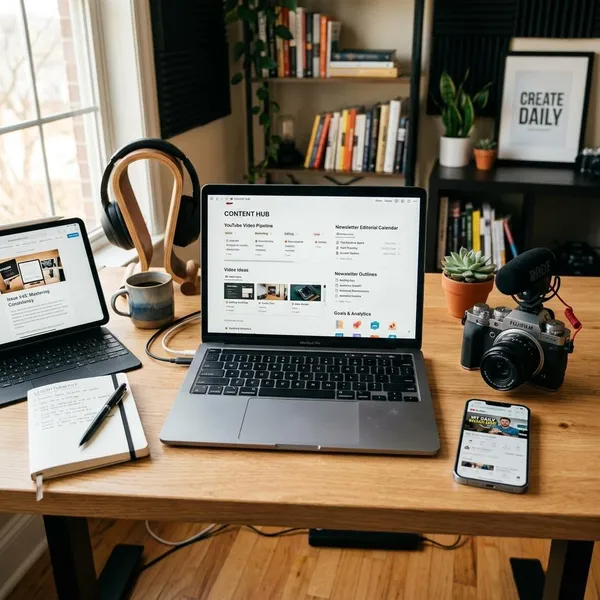
If you publish both videos and emails, the strongest template is usually not two separate planners. It is one system that lets a single idea become a video, a newsletter issue, short posts, and follow-up assets without duplicating the planning work.
Creator's Companion
Creator's Companion is a strong fit for creators who want one home for video planning, newsletter tie-ins, brand work, and repurposing tasks. It makes the most sense when content is already part of a repeatable workflow rather than a casual hobby.
Write OS
Write OS can manage both channels when your videos begin as written ideas. Educational creators, analysts, and commentators often think through a topic in notes first, then turn the same structure into a newsletter or video outline. You may need to add video-specific fields such as filming status, thumbnail notes, or upload checklist, but the writing-first foundation can still work well.
Cross-platform content planners
Cross-platform content planners are built for creators who want one idea to travel across several formats. They are usually more useful for established publishing routines than for beginners still figuring out what they want to post.
- Master idea database: store the topic once and assign it to each channel.
- Platform-specific statuses: track video production and newsletter drafting separately.
- Campaign calendar: plan when each format should go live.
- Repurposing view: see which ideas still have unused angles.
How to choose the right Notion template
Start by choosing for your current workflow, not the ideal version of your future creator business. The best template is the one you can update on a busy day without avoiding it.
| Your situation | Best starting point | What to avoid |
|---|---|---|
| New creator or irregular posting | Simple content planner | Large dashboards with too many fields |
| Weekly YouTube publishing | YouTube Content Planner | Writing-only systems with no production stages |
| Newsletter is the main product | Newsletter Content Hub or Write OS | Video-first templates that treat email as an afterthought |
| Repurposing across channels | Creator's Companion or cross-platform planner | Separate calendars that do not connect ideas |
Start with your main content channel
Pick the template around the channel that creates the most work. If YouTube drives your schedule, video stages should come first. If the newsletter is where your ideas become valuable, choose a writing or editorial system first.
Choose the right level of complexity
A complex template is only better when it removes work you already do. If you publish twice a month, you probably do not need campaign dashboards, automation areas, and ten status fields. If you publish several times a week or work with collaborators, extra structure can be worth it because it prevents missed handoffs and unclear priorities.
Check the features you actually need
Before buying or duplicating a template, write down your real steps from idea to published content. Then compare the template against that list.
- Must-have: idea capture, status, deadline, and published archive.
- Useful for YouTube: script, filming, editing, thumbnail, and upload checklist.
- Useful for newsletters: issue theme, draft stage, research notes, and send date.
- Useful for both: repurposing links, channel tags, and campaign timing.
Consider your publishing frequency
Publishing frequency should decide how much system you need. Occasional creators can stay lean: one idea database, one calendar, and a few statuses may be enough. Frequent publishers need more visibility because deadlines, drafts, assets, and repurposing tasks pile up quickly.
Also think about planning distance. Someone working one week at a time can use a simple board. A creator planning a launch, a series, or a monthly content theme will benefit from calendar views and linked tasks because timing matters more.
Conclusion
Choose the smallest Notion system that handles your real publishing pressure. A simple planner is enough when you mainly need ideas and deadlines; a dedicated YouTube or newsletter template is better when one channel drives the work; and a cross-platform workspace makes sense when repurposing is part of your routine. The right template should make the next publishing step obvious, not give you another dashboard to maintain.