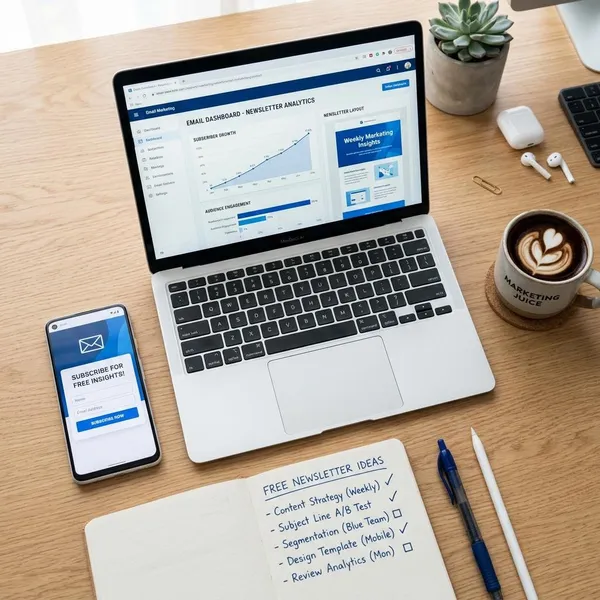
Canva email newsletter templates are best used as a design starting point, not as the finished email you send unchanged. Pick a template that matches the goal of the campaign, export only the visual pieces you need, then rebuild the important text, buttons, and links inside your email platform so the newsletter works properly in real inboxes.

Canva newsletter templates by goal
The fastest way to choose a good Canva newsletter template is to start with the job the email has to do. A calm monthly update needs a different layout from a flash sale, and an event announcement should not be treated like a product catalog.
Business updates
For business updates, choose a clean layout with short sections and obvious headings. Readers usually want to know what changed, why it matters, and whether they need to do anything.
Sales and promotions
Promotional newsletters should make the offer easy to understand within a few seconds. Look for a strong headline area, one main product or offer image, and a visible CTA space.
- Use one primary offer: too many discounts compete with each other.
- Keep the CTA close to the offer: readers should not have to scroll far to act.
- Avoid tiny coupon text inside images: it can become hard to read on phones.
Product launches
A product launch template should create interest quickly, then give just enough detail to support the click. A hero image, short value statement, and one main button usually work better than a crowded feature list.
If the product needs explanation, such as software, a course, or a subscription, choose a layout with two or three small feature blocks. If it is a visual product, such as apparel or home goods, give the image more space and keep the copy tighter.
Events and announcements
Event and announcement templates need practical information before decoration. The reader should be able to spot the event name, date, time, location or access link, and RSVP button without searching.
For a one-off webinar or shop event, a bold title with a compact details block is usually enough. For a recurring event series, choose a template that can repeat the same structure each time so readers learn where to find the key details.
Ecommerce newsletters
Ecommerce templates work best when they make products easy to compare. A grid-style layout is often safer than a collage because it gives each item a consistent image area, short description, price space, and button.
- Best for small collections: feature three to six products instead of overwhelming readers.
- Best for frequent campaigns: reusable product blocks save editing time.
- Not ideal for every message: a single hero offer may work better for a big sale or launch.

How to choose a Canva newsletter template
A good template is not just the one that looks the nicest in Canva. It should be easy to edit, readable on mobile, and simple enough to rebuild in your email platform without turning the whole newsletter into one flat image.
Match your campaign goal
Start with the action you want after the open. If the reader should read an update, choose a text-friendly layout. If the reader should buy, register, or book, choose a layout that makes the CTA impossible to miss.
Keep the layout simple
A one-column layout is usually the safest choice for email. It is easier to scan, easier to recreate in an email builder, and less likely to break visually on smaller screens.
Complex Canva designs can still be useful for banners or hero graphics, but they become risky when every section depends on layered text, decorative shapes, and precise desktop spacing.
Check mobile readability
Before committing to a template, zoom out and imagine it on a phone. If the design depends on small text, narrow columns, or long paragraphs inside images, it will probably feel cramped in an inbox.
Look for clear CTA space
The call to action needs breathing room. A good template naturally leads the eye from the headline or offer to the button, without hiding the next step among badges, stickers, or extra graphics.
Choose easy branding options
Pick a template that can accept your logo, colors, fonts, and image style without looking forced. If you need to redesign every block before it feels like your brand, the template is probably too specific.
For long-term use, flexibility matters more than novelty. A template that works for a monthly update, a light promotion, and a seasonal announcement will save more time than a dramatic design you only use once.

How to use Canva designs in email
The safest workflow is to design visual assets in Canva and build the actual email inside an email marketing platform. That keeps the newsletter attractive while still giving you live text, working buttons, mobile responsiveness, tracking, and list management.
Export the needed assets
Export only the pieces that truly need to be images, such as a header banner, product collage, divider, icon set, or branded announcement graphic. Keep body copy, prices, deadlines, and CTA wording out of the image whenever possible.
Add them to your email platform
Upload the exported assets to your email tool, such as Mailchimp, Klaviyo, Brevo, ConvertKit, or another builder. Place them in image blocks, then use the platform's own text and button blocks for the main message.
Rebuild key text and buttons
Important text should stay live in the email editor. Live text is easier to read, easier to update, more accessible, and less fragile than copy locked inside a Canva export.
Add working links
Add links to every button, product image, banner, and registration area that should be clickable. Then check whether each link matches the promise nearby; a "Shop the collection" button should not send people to a generic homepage unless that is truly the best destination.
Be careful with one large image containing several products. Many email builders will treat it as one clickable area, which means every product may point to the same page. Separate product blocks are usually better for ecommerce emails.
Test before sending
Send a test email before every campaign, even if the template has worked before. Open it on a phone first, because that is where cramped spacing, oversized images, and weak buttons usually show up.
- Scan the top screen: the main message should be clear without much scrolling.
- Tap every CTA: check links, buttons, product images, and event links.
- Check image loading: large graphics should not make the email feel slow or empty.
- Read the live text: look for typos, outdated prices, and missing deadlines.
Canva vs email template builders
Canva and email builders are strongest when they are used for different parts of the same workflow. Canva is useful for visual design; an email builder is better for the structure, links, responsiveness, sending, and automation.
Canva for visual design
Canva is a strong choice for branded visuals: headers, banners, announcement graphics, product spotlights, and simple promotional artwork. It is especially helpful if your email platform's built-in templates look too plain or do not match your visual style.
Email builders for responsive layouts
Email builders are designed for inbox behavior. They help your email adjust to different screens, keep text readable, manage spacing, and create buttons that work like buttons instead of image slices.
This is the better place to build the final layout, especially if subscribers read on mobile or if the email includes several links.
Email platforms for sending and automation
Email platforms handle the marketing side that Canva does not replace: subscriber lists, segmentation, analytics, automated flows, unsubscribe handling, and campaign scheduling.
For a casual announcement to a small list, the setup may stay simple. For ecommerce, customer journeys, or regular promotions, these platform features are not optional extras; they are the part that makes email marketing manageable over time.
Both together for a flexible workflow
The most practical setup is a hybrid one: design the polished pieces in Canva, then assemble the sendable email in your platform. That gives you stronger visuals without giving up readable text, real buttons, separate links, mobile previews, or performance data.
Conclusion
Canva works best when you treat it as the visual layer of your newsletter workflow, not the whole email system. Choose a template that fits the campaign goal, keep the layout simple enough for mobile, and rebuild the parts people need to read or click inside your email platform; that is the difference between a pretty design and a newsletter that is actually usable.