You can start a newsletter with a simple topic, one clear reader, a signup page, and a first email that delivers on a small promise. Do not wait for perfect branding or a huge audience; the first job is to make the newsletter easy to understand and easy to join.

How to start a newsletter
The cleanest way to start is to make a few decisions in the right order: topic first, reader second, promise third, platform fourth. If those are clear, the rest becomes much easier.
For a side project, keep the setup light and send something useful before you build a full brand around it. For a business newsletter, you may need a little more planning around audience, offers, and automation, but the basic launch steps are still the same.
- Choose one topic people can understand in a sentence.
- Define the reader you are writing for, not just the industry you are writing about.
- Write a short promise that says what readers get and how often.
- Pick a platform that lets you collect subscribers and send reliably.
- Create a focused signup page with one main call to action.
- Set up a welcome email so new subscribers know what happens next.
- Send your first issue before you over-edit the format.
Pick a clear topic
A clear topic tells people why they should subscribe. "Marketing" is too broad for most beginners; "simple marketing ideas for local cafés" or "weekly email tips for freelance designers" is easier to understand and easier to write consistently.
Define your audience
Your audience is not "everyone interested in the topic." It is the specific type of person who will recognize the problem, care about the advice, and want more from you later.
- Beginner audience: use simpler explanations and fewer assumptions.
- Professional audience: focus on sharper examples, trade-offs, and time-saving ideas.
- Customer audience: connect the newsletter to problems your product or service already solves.
Set your content promise
Your content promise should answer three questions: what will readers receive, who is it for, and how often will it arrive? A strong promise might be: "One practical budgeting tip every Friday for busy households."
Do not make the promise bigger than you can maintain. A weekly deep-dive sounds impressive, but a short useful email sent reliably is usually better than an ambitious format that disappears after three issues.
Choose a platform
At the start, choose a platform that removes friction. You need a place to collect emails, send issues, manage subscribers, and check basic results. Advanced features are useful later, but they should not slow down your first send.
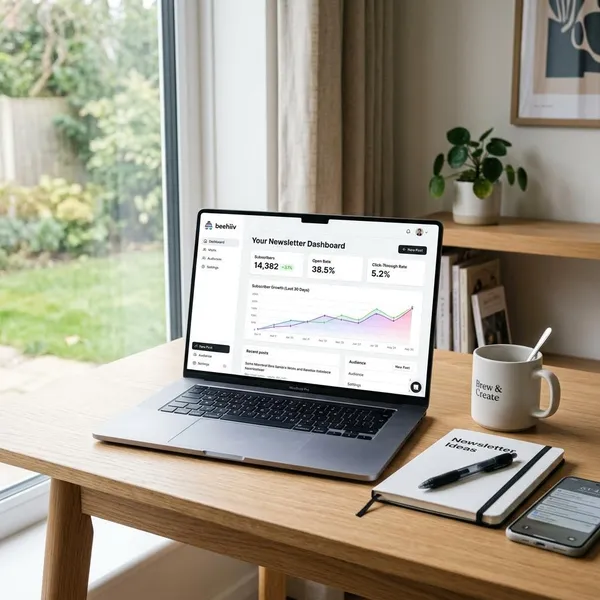
Substack can suit solo writers who want a simple publishing flow. Beehiiv often appeals to people focused on newsletter growth. Mailchimp may fit small businesses that need broader email marketing features. The best choice depends on how you plan to use the list, not which tool is currently popular.
Create a signup page
Your signup page has one job: make the value obvious enough that the right person is comfortable entering an email address. Keep it short, clear, and focused on the reader's benefit.
- Use a headline that explains the result or topic.
- Add one short sentence about who it is for.
- Say how often you send, if you know.
- Ask only for the information you really need, usually just an email address.
Check the page on mobile before sharing it. Many early subscribers will come from social posts or forwarded links on a phone.
Write a welcome email
A welcome email confirms that the person joined the right list. Keep it brief: thank them, restate what they will receive, and tell them when to expect the next issue.
Send your first issue
Your first issue should not try to prove everything at once. Pick one useful idea, make it easy to scan, include one clear takeaway, and send it.
Before publishing, check the subject line, sender name, links, spacing, and mobile preview. After sending, note what felt slow or confusing in your process so the next issue is easier to produce.
How to choose a newsletter platform
A newsletter platform should match your current workflow and your likely next step. A creator writing essays every week needs different tools from a shop sending promotions, customer updates, and automated sequences.
Do not choose only by the free plan. Check what happens when your list grows, when you need automation, and when you want better landing pages or analytics.

Ease of use
If the editor feels awkward, you will delay sending. Test the platform by drafting one email, creating one signup form, and scheduling one issue. That small trial tells you more than a feature comparison page.
For a personal newsletter, a plain readable format is often enough. For a business newsletter, also check whether the tool handles templates, audience groups, and campaign approvals without becoming clumsy.
Signup and landing pages
Built-in signup pages are helpful because they let you launch without building a full website first. Look for a page builder that lets you write a clear offer, add a simple form, and share one clean link.
Design options are nice, but they are secondary. A plain page with a strong promise usually beats a polished page that never explains why someone should subscribe.
Email automation
Basic automation is worth having even when your list is small. At minimum, set up a welcome email so subscribers hear from you immediately after joining.
You may not need complex sequences on day one. Still, if your newsletter supports a business, course, service, or paid offer, choose a platform that can grow into simple onboarding, segmentation, or re-engagement later.
Growth and analytics tools
Good analytics should help you make decisions, not just stare at numbers. Watch subscriber sources, clicks, replies, and unsubscribes more closely than vanity metrics.
- Subscriber source: shows where your best readers come from.
- Clicks: show which topics create active interest.
- Replies: reveal questions, objections, and language you can use later.
- Unsubscribes: can signal a mismatch between promise and content.
Pricing as you grow
Free plans are fine for testing, but check the upgrade path before you commit. Some platforms become more expensive as subscribers increase, while others limit automation, branding, or segmentation on lower tiers.
How to get your first subscribers
Your first subscribers usually come from people who already know your work, not from strangers finding you by chance. That is not a weakness; warm audiences are often the best place to test your promise and learn what people actually want.
Start promoting once the signup page works and the promise is clear. Waiting for a perfect logo or template usually costs more momentum than it saves.

Share your signup page
Share the page where your likely readers already spend time: LinkedIn, Instagram, niche communities, your email signature, a profile bio, or a relevant forum. Do not just drop the link; say who the newsletter is for and what they will get.
Vary the angle when you promote it. One post can share the promise, another can show a sample tip, and another can explain the problem the newsletter helps solve.
Add forms to your website
If you have a website, place signup forms where the reader already has context. A form inside a related blog post often feels more natural than a generic pop-up shown to everyone.
- Homepage: good for visitors checking what you do.
- Blog posts: good when the form matches the topic they are reading.
- About page: useful for people deciding whether they trust your voice.
- Footer: low-pressure, but easy to miss.
Keep the form short. Asking for a first name can be fine, but every extra field gives someone another reason to stop.
Promote to your existing audience
If you already have clients, customers, readers, followers, or community members, invite them directly. They do not need a long pitch; they need a clear reason to care.
Offer a useful lead magnet
A lead magnet can help if it attracts the same people who should read the newsletter. Good options include a checklist, template, short resource list, planner, or swipe file.
Encourage readers to share
Make forwarding feel natural. Add one short line near the end of an issue asking readers to share it with someone who would find it useful, and include a signup link for the new reader.
This works best when each issue has one clear takeaway. People forward emails that save time, solve a specific problem, or make them look helpful.
How to improve your newsletter
Once the newsletter is live, improve it by watching what readers do and what they tell you. Do not redesign everything after one weak issue; look for patterns over several sends.
Numbers can show behavior, but replies explain motivation. Use both before making big changes to your topic, schedule, or format.

Track subscriber growth
Subscriber growth tells you whether your offer and promotion are working. Look beyond the total number and check where new subscribers came from.
If a guest post brings fewer subscribers but more replies, it may be more valuable than a social post that brings quick signups and no engagement. A smaller, interested list is usually better than a larger list that never opens.
Watch clicks and replies
Clicks show active interest. Replies show trust. Both are stronger signals than opens alone, especially because email privacy settings can make open rates less reliable.
Save recurring reader questions in one place. Those questions can become future issues, better subject lines, or clearer signup page wording.
Test subject lines
Test subject lines by changing one thing at a time: length, specificity, question format, or direct benefit. Avoid clickbait that creates curiosity but does not match the email.
- Clear: "3 ways to reduce your grocery bill this week"
- Vague: "You need to see this"
- Useful question: "Is your welcome email doing enough?"
Keep a simple record of what works. After a few sends, patterns usually become easier to spot.
Learn from reader feedback
Ask one easy question when you want feedback. "What should I cover next?" or "What was unclear?" is less work for readers than a long survey.
Treat short replies seriously. A one-sentence comment can reveal a pain point, a confusing phrase, or a topic that deserves more attention.
Refine topics over time
Your first topic does not have to stay exactly the same. If one angle consistently gets more clicks, replies, and shares, lean into it.
Conclusion
The best first version of a newsletter is usually simpler than you think: one reader, one promise, one signup page, and one useful first issue. If you can send consistently and learn from real subscribers, you can improve the platform, format, and growth tactics as the newsletter becomes worth that extra effort.