The best graphic tablet is the one that fits where you actually draw: at a desk with desktop software, directly on a pen display, or away from the computer on a standalone tablet. For most people, a 16-inch pen display or a medium screenless tablet is the safest starting point, while professionals with color-critical work should look harder at larger 4K displays and better calibration options.
Best graphic tablets by type and workflow
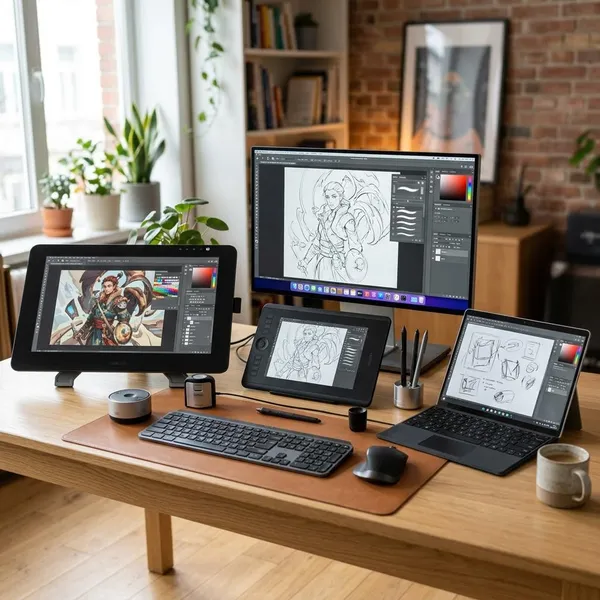
Start by choosing the type of tablet before comparing brands. A pen display feels the most natural because you draw directly on the image, a screenless tablet is often better for posture and value, and a standalone tablet makes sense if you sketch in different places instead of sitting at one desk.
| Tablet | Best fit | Main thing to check before buying |
|---|---|---|
| Wacom Cintiq Pro 27 | Professional studio work | Desk space, stand setup, and whether the price makes sense for paid work |
| XPPen Artist Pro 24 (Gen 2) 4K | Large 4K drawing space for less than premium Wacom pricing | Whether a 24-inch display fits your desk comfortably |
| Huion Kamvas 16 (Gen 3) | Balanced home, student, and regular drawing use | Connection type and whether the 16-inch size feels large enough |
| XPPen Artist 16 3rd | Affordable first screen tablet | Color needs and stand comfort |
| Wacom Intuos Pro | Screenless drawing, design, and photo editing | Whether you are comfortable drawing while looking at a monitor |
| iPad Pro 13-inch | Portable drawing with strong app support | Whether your main software works well on iPadOS |
| Samsung Galaxy Tab S11 Ultra | Large Android drawing and note-taking setup | App support for your exact workflow |
How to choose the best graphic tablet
The first thing to check is not pressure sensitivity or brand reputation. Check where the tablet will be used, which software must run, and whether you want a permanent desk setup or something you can pick up instantly. Those three answers usually narrow the choice faster than any spec sheet.
Match the tablet to your drawing workflow
If you mainly draw at a desk, choose between a pen display and a screenless tablet. A pen display feels more direct for painting and illustration, while a screenless tablet is cheaper, cleaner, and often better for posture. If you draw in short bursts around the house, in class, or while traveling, a standalone tablet will probably get used more often.
Choose the right drawing area and screen size
For most buyers, 16 inches is the safest pen-display size because it feels usable without taking over the desk. Larger displays are better for broad arm movement, references, and detailed work, but they need a stand, space, and a comfortable viewing distance. With screenless tablets, medium is usually the best starting size.
- Small: portable and cheap, but can feel tight for sweeping strokes.
- Medium: the best balance for most screenless tablet users.
- 16-inch display: practical for beginners and regular home drawing.
- 24 inches or larger: best for dedicated desks and long studio sessions.
Compare pen feel and pressure response
Pressure levels look important on product pages, but real pen feel depends more on light-stroke response, line stability, cursor accuracy, nib texture, and whether the pen is comfortable after an hour. If the first faint sketch lines are hard to control, the tablet will feel frustrating even if the pressure number is high.
When possible, read reviews that mention slow diagonal lines, wobble, parallax, initial activation force, and driver behavior. Those details say more about daily drawing than a headline spec. Also check whether replacement nibs are easy to buy, because surface texture and nib wear become annoying if supplies are hard to find.
Check display quality and color accuracy
Display quality matters most if you are buying a pen display or standalone tablet. Resolution affects how sharp your canvas and interface look, while brightness, contrast, and color accuracy affect how confidently you can judge the work. For casual sketching, a decent display is enough; for client files, prints, or photo editing, color reliability becomes much more important.
Do not assume a beautiful screen is automatically accurate. If color matters, look for calibration support, credible reviews, and whether the display can be adjusted to your working environment. A simple practical check is to compare finished artwork on another trusted screen before sending files to a client or printer.
Confirm software and device compatibility
A great tablet becomes a bad buy if it does not fit your software and ports. Before ordering, check your operating system, drawing app support, connection type, driver requirements, and whether your computer can handle the tablet's resolution smoothly.
- Pen displays: confirm HDMI, DisplayPort, USB-C, or hub requirements.
- Screenless tablets: check driver support for your OS version.
- iPad and Android tablets: confirm the exact apps and export formats you need.
- School or work computers: make sure you are allowed to install drivers.
Consider shortcuts and ergonomics
Shortcuts are not essential, but they can make a tablet feel much faster. Buttons, dials, touch gestures, and pen side switches are most useful if you constantly zoom, rotate the canvas, undo, change brush size, or switch tools. If you barely use shortcuts now, a clean layout may be better than paying extra for controls you will ignore.
Ergonomics deserve the same attention as specs. A large pen display lying flat can strain your neck and shoulders, while a screenless tablet with a good monitor position can be surprisingly comfortable. For long-term use, check the stand angle, cable path, wrist position, and whether you can draw without hunching forward.
Conclusion
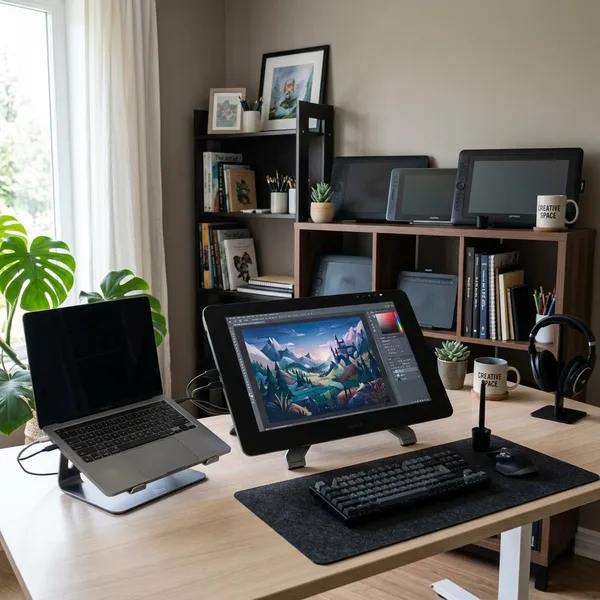
Pick the tablet that removes the biggest friction from your drawing routine. A professional studio artist may justify the Wacom Cintiq Pro 27, a serious home user may be better served by the XPPen Artist Pro 24 or Huion Kamvas 16, and a beginner can start confidently with an affordable 16-inch display or Wacom Intuos Pro. If portability is what will make you draw more often, the iPad Pro or Samsung Galaxy Tab route is the more practical choice.