The best laptop for graphic design is the one that matches your actual work: a color-accurate screen first, enough RAM second, and only then extra CPU or GPU power. For most designers in 2026, the MacBook Pro 14-inch is the safest all-around pick, the 16-inch model is better for long professional sessions, the ASUS ProArt P16 is the strongest Windows option, and the MacBook Neo makes more sense for students or lighter creative work.
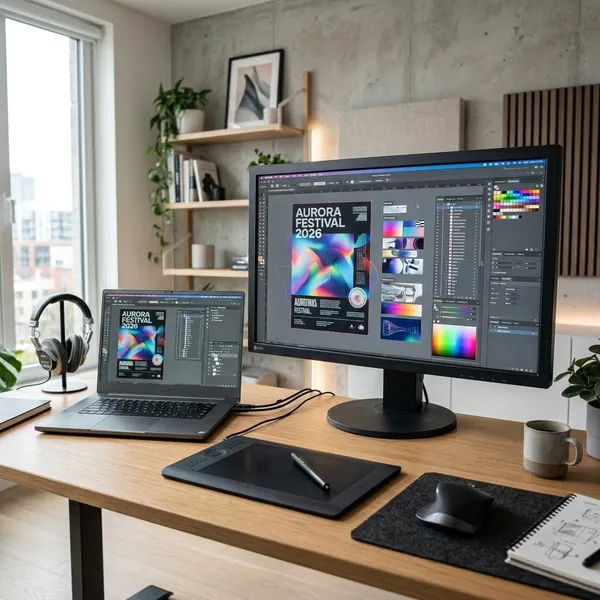
Best laptops for graphic design in 2026
A good design laptop should not force you to fight the screen, memory, or storage every day. If you mainly work in Photoshop, Illustrator, InDesign, Figma, or Lightroom, prioritize display quality and RAM before chasing the most expensive chip. If your work includes motion graphics, video timelines, or 3D, GPU power becomes much more important.
| Pick | Best fit | Main reason to choose it |
|---|---|---|
| MacBook Pro 14-inch | Most Mac-based designers | Strong balance of screen quality, speed, battery life, and portability |
| MacBook Pro 16-inch | Full-time professionals | Larger workspace and better comfort for long design sessions |
| ASUS ProArt P16 | Windows designers | Creator-focused hardware with stronger GPU options |
| MacBook Neo | Students and lighter users | Lower-cost entry point for basic design, school, and portfolio work |
What to look for in a graphic design laptop
Start with the part of the laptop that affects every design decision: the screen. After that, look at RAM, then storage, then CPU and GPU performance based on your software. A fast processor cannot make a weak display trustworthy, and a beautiful screen will still frustrate you if the laptop runs out of memory during real work.
Color accuracy and display quality
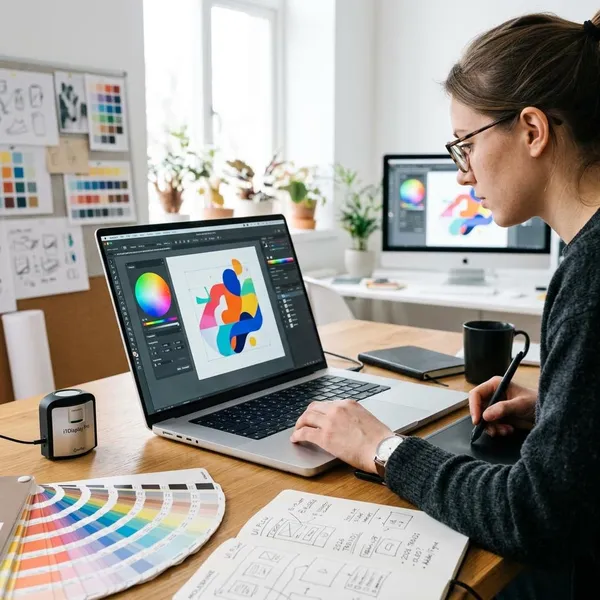
Color accuracy matters more than a flashy-looking panel. If your screen makes reds too warm, shadows too crushed, or brand colors look different from the final output, you can lose time fixing problems that started with the display.
Look for strong color coverage, good brightness, sharp resolution, and reliable calibration. OLED, IPS, and mini-LED can all work well, but panel type alone is not enough. For print, branding, and photo work, a trustworthy display is often the biggest reason to spend more.
RAM for large files and multitasking
For 2026, 16GB should be treated as the practical floor for graphic design. It can work for students and lighter projects, but 24GB or 32GB is a better target if you keep Photoshop, Illustrator, Figma, browser tabs, cloud apps, and communication tools open together.
- 16GB: acceptable for learning, lighter Figma work, basic Adobe use, and smaller files.
- 24GB to 32GB: better for regular freelance or professional work with multitasking.
- More than 32GB: worth considering for very large files, heavy compositing, motion work, or long-term professional use.
CPU and GPU performance
The CPU keeps everyday work responsive: opening apps, exporting files, applying filters, handling multitasking, and working through large documents. Most modern professional laptops are fast enough for standard graphic design, so the bigger question is whether your workload needs extra graphics power.
A brand designer who lives in Illustrator, InDesign, and Figma should usually spend first on screen quality and RAM. A motion designer using After Effects or a designer adding 3D product visuals should push GPU performance much higher on the list.
SSD storage for creative projects
A 512GB SSD can work for students or lighter users, but 1TB is a more comfortable target for regular design work. Creative storage fills up with source images, fonts, exports, packaged folders, app caches, previous versions, and client files you still need close at hand.
If you travel often or switch between home, office, and client locations, internal storage matters even more. External SSDs are useful for archives, but relying on them for active projects adds friction and makes it easier to leave the wrong file behind.
Screen size, ports, and portability
A 14-inch laptop is usually enough if you use an external monitor for longer sessions or move around a lot. A 16-inch laptop is better if you regularly work only on the built-in display and need room for panels, references, and multiple windows.
- Choose 14-inch: commuting, classes, travel, client meetings, shared desks, or external monitor use.
- Choose 16-inch: long editing sessions, detailed layouts, less travel, and fewer chances to use a monitor.
- Check ports: monitors, SD cards, drawing tablets, docks, fast SSDs, and chargers can quickly turn a thin laptop into an adapter mess.
Do you need a dedicated GPU for graphic design?
You do not always need a dedicated GPU for graphic design. For Photoshop, Illustrator, InDesign, Figma, and most static design work, modern integrated graphics can be enough when the laptop also has good RAM, fast storage, and a strong display. A dedicated GPU becomes more important when your work moves into motion, video, 3D, or heavy effects.
Integrated graphics for Photoshop, Illustrator, and Figma
Integrated graphics are fine for many designers working on branding, UI layouts, presentations, social assets, light photo editing, and standard Adobe files. This setup is especially sensible for students, mobile freelancers, and anyone who values battery life, quiet operation, and lower weight.
The better check is not "integrated or dedicated?" but "where does my laptop slow down?" If the answer is large files, too many apps, or a cramped screen, a dedicated GPU will not fix the main problem.
Dedicated graphics for motion design and video work
A dedicated GPU is worth considering when design work overlaps with After Effects, Premiere Pro, animated ads, video exports, GPU-accelerated effects, or heavier visual previews. The benefit is not just shorter export times; smoother previews make it easier to test ideas without waiting after every change.
- Occasional video: integrated graphics may still be acceptable if the projects are short and simple.
- Weekly motion work: a dedicated GPU becomes much easier to justify.
- Client deadlines: smoother previews and faster exports can matter more than the spec sheet suggests.
More GPU power for 3D and demanding creative projects
For 3D scenes, product visualization, complex compositing, simulations, or animation-heavy marketing work, stronger GPU performance can directly affect viewport smoothness, render speed, and how large a project you can handle comfortably.
This is where a Windows creator laptop such as the ASUS ProArt P16 may make more sense than a lighter general-purpose machine. Still, avoid buying the biggest GPU only because it sounds safer. Match the laptop to the software you use now and the type of work you realistically expect to take on during the next few years.
Conclusion
If you want the safest choice, pick the laptop that solves your daily bottleneck instead of the one with the loudest specs. The MacBook Pro 14-inch is the best fit for most Mac designers, the 16-inch model is better when screen space matters all day, the ASUS ProArt P16 is the stronger Windows route for mixed creative work, and the MacBook Neo is enough for learning or lighter projects. Spend first on a trustworthy display, enough RAM, and practical storage; only pay extra for GPU power if your work will actually use it.