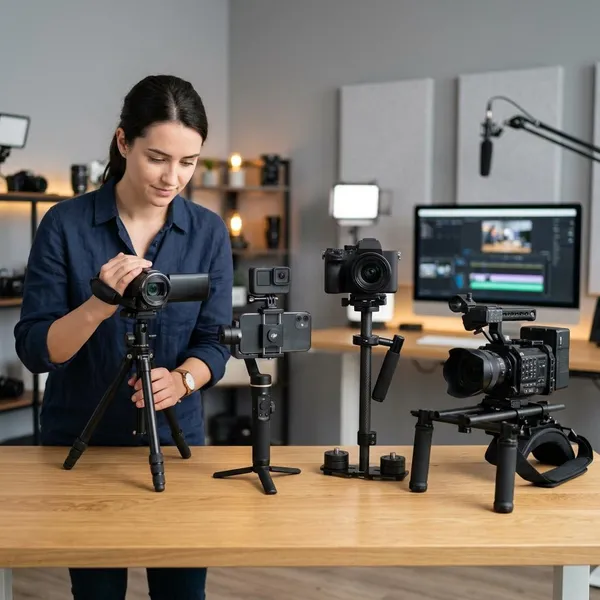
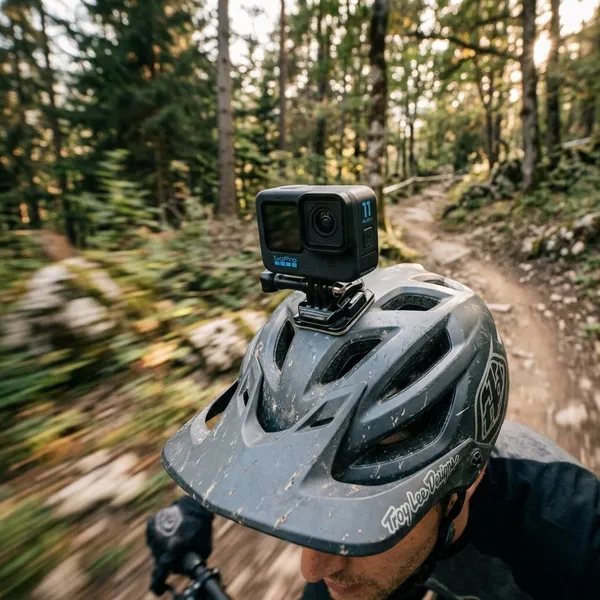
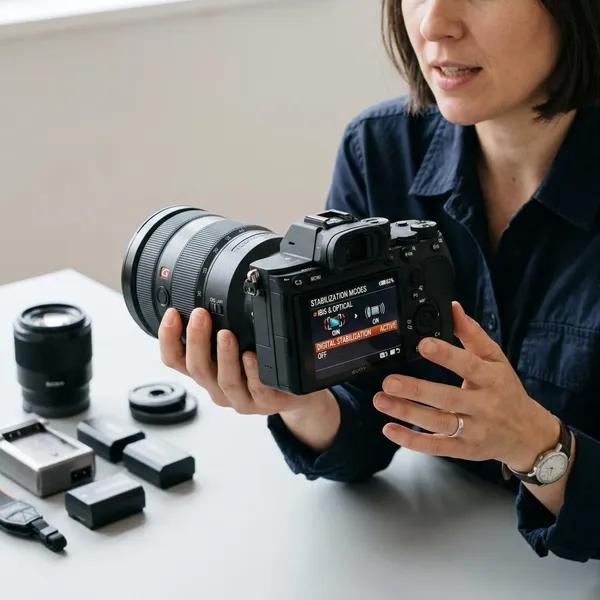
If you want a 4k action camera with gimbal stabilizer, the first question is not whether a gimbal is "better." It is whether you mostly shoot handheld video or mount the camera on your body, bike, helmet, or gear. A gimbal can make walking and vlogging footage look much smoother, but built-in stabilization is usually the safer, simpler choice for rough, wet, or fast-moving situations.
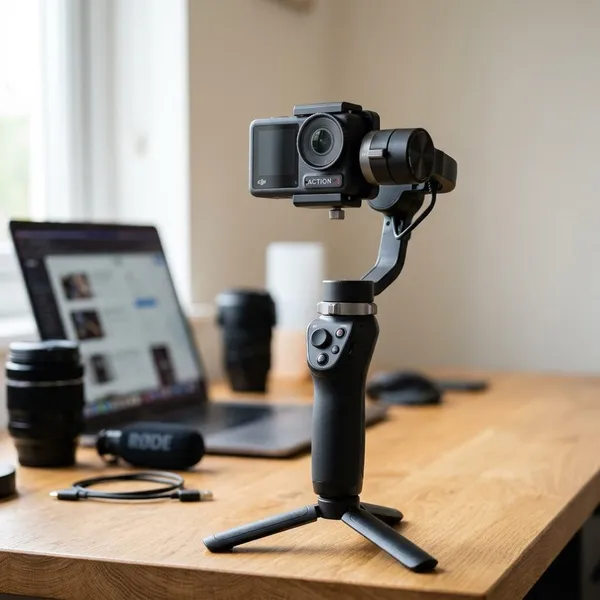
What does gimbal stabilization mean for an action camera?
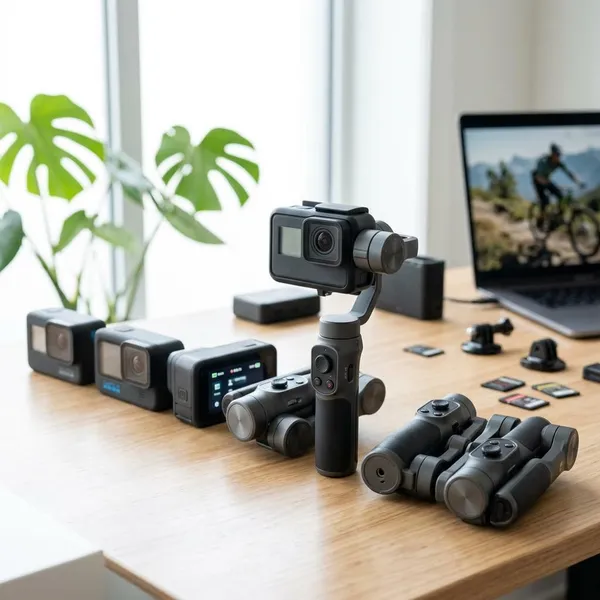
Gimbal stabilization means the camera is kept steady by a motorized mechanism that physically counters movement. With action cameras, people usually compare three setups: a normal action camera with electronic stabilization, an action camera attached to an external gimbal, or a small pocket camera with a built-in gimbal.
Built-in electronic stabilization
Built-in electronic stabilization, often called EIS, corrects shake digitally inside the camera. It usually crops the image slightly, then shifts the frame to make movement look steadier.
- Best for: helmet mounts, chest mounts, cycling, hiking, water use, and quick everyday clips.
- Main advantage: no extra gear to balance, charge, or protect.
- Main tradeoff: heavy stabilization can narrow the view, and low-light footage may look softer.
External gimbal stabilization
An external gimbal uses motors and sensors to keep the action camera steady while you move. It is most useful when you are holding the camera and can control your pace, direction, and framing.
The downside is the extra work. A gimbal adds bulk, charging, balancing, storage, and one more fragile part. For a city walk, that may be worth it; for a muddy trail ride or beach day, it may become a nuisance.
Pocket gimbal cameras
Pocket gimbal cameras combine a small camera and a motorized stabilizer in one device. They are a good middle option for people who mainly shoot handheld travel clips, family videos, and casual vlogs.
When an action camera gimbal makes sense
An action camera gimbal makes sense when smooth handheld footage is the priority and the shooting environment is fairly controlled. Think travel walks, vlogs, product-style shots, home tours, or planned clips where you can move carefully.
Handheld vlogging
For handheld vlogging, a gimbal can make face-to-camera footage look calmer, especially while walking and talking. Small arm movements, turns, and footsteps become less distracting, which helps the viewer focus on your voice and surroundings.
Walking and travel footage
Walking footage is where a gimbal often earns its place. Electronic stabilization can do a lot, but repeated footsteps can still create a slight bounce, especially during longer walking clips.
- Worth considering: city walks, hotel tours, airport clips, resort videos, museum interiors.
- Probably unnecessary: short vacation snippets, quick family clips, or footage mostly shot from a fixed position.
- Check before buying: whether you are willing to carry the gimbal for a full day, not just test it at home.
Smooth cinematic movement
A gimbal is better for planned movement such as slow push-ins, reveals, side tracking, and gentle pans around a subject. It helps create that floating look people often want from travel edits or short-form video.
It will not make footage cinematic by itself. You still need slow movement, clean framing, and enough light. Fast, careless movements can look awkward even with good stabilization.
Controlled action shots
A gimbal can work well near action, not usually inside rough action. Filming a runner from the side, tracking a skateboarder at a predictable speed, or recording a fitness demo can benefit from the smoother motion.
When built-in stabilization is better
Built-in stabilization is better when the camera needs to be small, rugged, mountable, and ready fast. For many people, this is the more realistic choice because it works across more situations with less planning.
Helmet and chest mounting
For helmet and chest mounting, choose built-in stabilization. A gimbal is usually too bulky, too exposed, and too awkward for wearable footage.
This applies to skiing, climbing, trail riding, job-site recording, or first-person outdoor clips. You want the camera close to the body, securely attached, and unlikely to snag. In this situation, practical safety matters more than a cinematic look.
Cycling and motorcycle use
Cycling and motorcycle footage usually favors a compact action camera with good EIS and secure mounts. Road vibration, wind, weather, and sudden bumps are exactly the kind of conditions where an external gimbal becomes harder to trust.
- For route recording: use a sturdy mount and internal stabilization.
- For scenic ride clips: horizon leveling can be more useful than a gimbal.
- For planned filming: a gimbal may work if someone films from a safe, controlled position.
Water and outdoor activities
Built-in stabilization is the smarter choice around rain, splashes, mud, sand, snow, and rough trails. Even if the camera itself is waterproof, the gimbal may not be protected to the same level.
For beach trips, kayaking, ski days, dusty hikes, or sudden weather changes, the best setup is the one you can actually use without worrying about every splash or bump.
Lightweight everyday recording
Everyday recording rewards convenience. A small action camera can stay in a jacket pocket, day bag, glove box, or drawer and be ready in seconds.
What to look for in a 4K action camera
Resolution is only one part of the decision. A good 4K action camera should match your real shooting conditions: movement, mounting, weather, battery needs, and how much gear you are willing to carry.
4K frame rates
For casual travel clips and family videos, 4K at 30fps can be enough. If you film action, kids running, biking, or fast movement, 4K at 60fps is more flexible because it captures motion more smoothly and gives you better editing options.
Higher frame rates can use more battery, create larger files, and increase heat during longer recording. Do not choose the highest setting by habit; choose the one that fits the clip.
Stabilization quality
Stabilization quality should be judged from sample footage that matches your use case. Walking tests matter for travel and vlogging. Handlebar, helmet, or chest-mounted tests matter more for riders and outdoor users.
- Look for crop: strong stabilization may cut away too much of the wide view.
- Check low light: some stabilized footage gets softer or noisier indoors or at night.
- Watch real movement: product demos on smooth paths may not show the limits.
Horizon leveling
Horizon leveling keeps the image looking straight when the camera tilts. It is especially helpful for walking, skiing, biking, handheld travel clips, and any shot where the camera naturally leans from side to side.
Waterproofing and durability
Waterproofing and durability matter even if you are not doing extreme sports. Rainy travel days, beach sand, drops, backpacks, kids, and dusty paths can be hard on small cameras.
Battery life
Battery life depends on frame rate, stabilization mode, screen use, temperature, and recording length. Cold weather and long 4K sessions can drain a small camera faster than expected.
Mounting options
Mounting options decide how useful the camera becomes after the first week. A strong mount ecosystem lets one camera handle a chest harness, tripod, backpack clip, handlebar mount, suction mount, or selfie stick without awkward workarounds.
- Check your top mounts first: helmet, chest, handlebar, tripod, or backpack clip.
- Avoid loose accessories: weak mounts add vibration before stabilization can help.
- Think ahead: one reliable mount system is better than several cheap, unstable adapters.
How to choose the right stabilization setup
The right setup comes from your most common shooting style, not the most impressive demo video. A gimbal is attractive when you imagine smooth travel footage, but EIS often wins when the camera has to be mounted, packed quickly, or used in uncertain conditions.
Define your main shooting style
Write down your three most common recording situations before comparing products. "Walking travel clips," "bike rides," "family outings," and "helmet footage" lead to very different choices.
If most clips are handheld and planned, a gimbal or pocket gimbal camera is worth considering. If most clips are mounted, wet, dusty, fast, or spontaneous, choose a rugged action camera with strong built-in stabilization first.
Decide between EIS and a gimbal
| Choose this setup | When it makes sense | What to watch out for |
|---|---|---|
| Action camera with EIS | Sports, body mounting, water use, cycling, quick everyday clips | May crop the image or struggle in low light |
| Action camera on a gimbal | Walking shots, vlogs, planned travel footage, smoother handheld movement | Adds setup time, bulk, charging, and fragility |
| Pocket gimbal camera | Casual handheld video, family clips, simple travel vlogging | Usually less rugged and less mount-friendly |
Check mounting requirements
Before buying, decide where the camera needs to go. A setup that feels great in your hand may be useless on a helmet, chest strap, motorcycle, stroller, or backpack clip.
Consider portability and durability
Portability decides whether you bring the camera. Durability decides whether you use it confidently once you arrive.
For occasional planned filming, carrying a gimbal may be fine. For daily use, travel with kids, outdoor weekends, or unpredictable weather, a compact action camera is usually easier to keep nearby and less stressful to use.
Compare your budget
Compare the full working setup, not just the camera price. A gimbal may need a case, spare batteries, charging time, mounts, and more careful storage.
- List your top three uses. Buy for those first.
- Choose your priority. Smooth handheld motion or rugged convenience.
- Watch matching sample footage. Use walking, riding, or low-light examples that fit your use.
- Add accessory costs. Include mounts, batteries, memory cards, cases, and the gimbal if needed.
- Avoid buying for rare scenarios. A setup used twice a year should not control the whole purchase.
Conclusion
Choose a gimbal setup if your best footage will be handheld, planned, and smooth; choose built-in stabilization if the camera needs to be rugged, mountable, waterproof, and quick to use. For most active outdoor users, EIS is the better first choice, while vloggers and travel shooters may get real value from a gimbal. The smartest buy is the setup you will carry without hesitation and trust in the situations you film most.