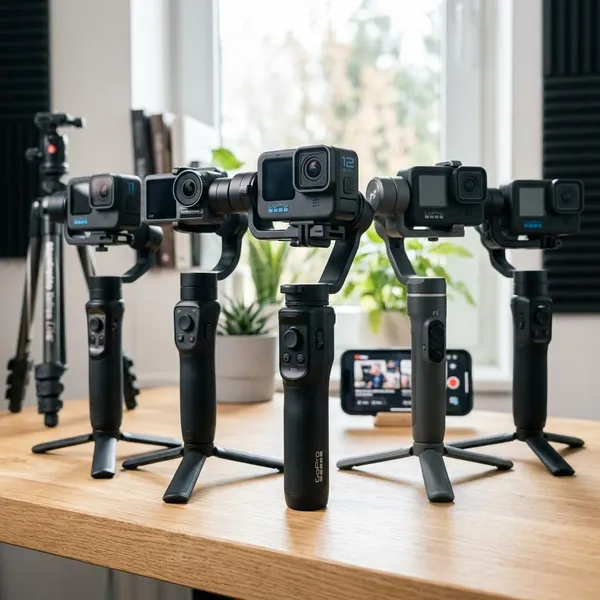
The best camcorder stabilizer is the one that fits your full shooting rig with room to spare, not just the one with the biggest name or highest payload claim. For heavier video setups, start with the DJI RS 4 Pro; for lighter hybrid-style builds, the DJI RS 4 is usually easier to live with. If you want a larger alternative, look at the Zhiyun Crane 4, and if you want battery-free stabilization, the Axler Robin 20 Stabilizer S is the more manual option.
Best camcorder stabilizers right now
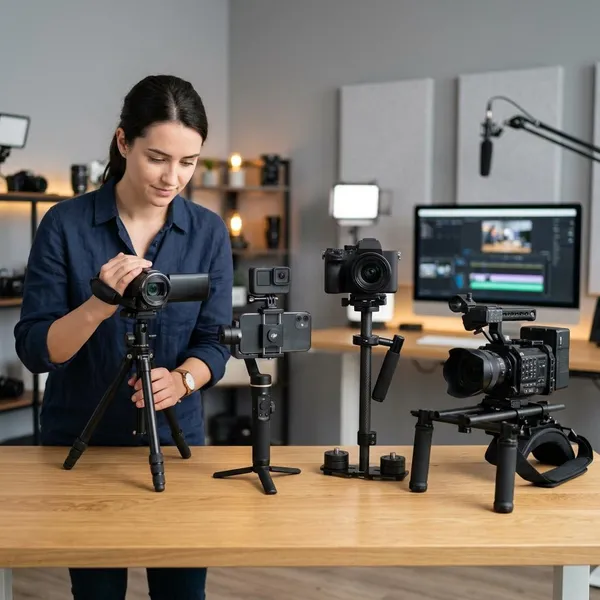
Most buyers should choose between two types of stabilizer: a motorized gimbal that actively smooths movement, or a mechanical stabilizer that relies on balance and operator technique. A gimbal is easier for events, travel clips, and paid video work. A mechanical stabilizer makes more sense if you want something simple, battery-free, and affordable enough to practice with.
DJI RS 4 Pro for heavier video rigs
The DJI RS 4 Pro is the strongest pick here for heavier camera builds, especially if your setup includes a monitor, wireless video, focus motor, cage, larger battery, or a front-heavy lens. It is the safer choice when you do not want the stabilizer working near its limit all day.
- Best fit: weddings, documentary work, commercial shoots, and accessory-heavy rigs.
- Main advantage: more payload headroom for setups that may grow over time.
- Watch out for: size and weight if you often shoot casually or travel light.
DJI RS 4 for lighter hybrid setups
The DJI RS 4 is a better match for lighter camcorder or hybrid camera setups where portability matters. It is easier to carry, quicker to handle, and less tiring when you are filming family events, travel footage, school projects, interviews, or casual content days.
Zhiyun Crane 4 for larger camera builds
The Zhiyun Crane 4 suits users who want a capable higher-payload gimbal but are comparing outside the DJI ecosystem. It is worth considering if your camera build changes often, because larger bodies, longer lenses, and side-mounted accessories can make smaller gimbals harder to balance.
Axler Robin 20 Stabilizer S for manual stabilization
The Axler Robin 20 Stabilizer S is the battery-free choice. It does not give you the same electronic assistance as a gimbal, so it takes more practice, but it avoids charging, firmware, motors, and app-based setup.
It makes the most sense for students, budget-conscious creators, outdoor shooters, or anyone who wants a backup stabilizer that can still work when power access is limited. Do not buy it expecting instant gimbal-style results; buy it if you are willing to practice walking, turning, and controlling the rig by hand.
How to choose a camcorder stabilizer
Compatibility matters more than the product ranking. Before you buy, check your full rig weight first, then payload margin, then physical clearance. Controls, accessories, and shooting style come after that because they only matter if the camera can actually balance and move freely.
Check your total rig weight
Weigh the camera exactly as you plan to shoot with it. Include the battery, lens if removable, microphone, monitor, top handle, cage, wireless gear, and any small accessories that stay mounted. Small add-ons can turn a "light" camera into a much harder load to stabilize.
Match the stabilizer payload
Payload is a starting point, not a guarantee. A rig can be under the stated limit and still feel awkward if it is long, tall, front-heavy, or packed with accessories in the wrong places.
- Good sign: your full rig sits comfortably below the listed payload.
- Risky sign: your setup is close to the limit before you add future accessories.
- Better check: look for real examples of similar camcorders mounted on the same stabilizer.
Check camera size and clearance
Camcorders can be harder to fit than small mirrorless bodies because of long lens barrels, side grips, flip-out screens, and unusual balance points. Make sure the camera can tilt, roll, and pan without hitting a motor arm.
Do a physical compatibility check before trusting the spec sheet: compare camera height, length, lens position, screen movement, and where the tripod plate needs to sit. If the body clears only in one position, it may become frustrating during real shooting.
Consider balancing and setup time
Setup time changes how often you actually use the stabilizer. A professional shooter may accept a slower setup for a planned job, but a travel or family shooter usually needs something that can be balanced quickly before the moment is gone.
Look for practical workflow details such as axis locks, marked adjustment arms, repeatable mounting positions, and a quick-release plate you can leave on the camera. Those small features can matter more than an extra shooting mode you rarely touch.
Compare controls and accessories
Controls should feel simple enough that you can change modes, reframe, and start recording without staring at the stabilizer. If you shoot alone, awkward controls become more annoying because there is no assistant to fix the rig while you keep filming.
Accessory support matters only if you will use it. A focus motor, remote grip, monitor mount, or wireless control setup is useful for production work, but unnecessary for someone filming travel clips with a compact camera.
Choose for your shooting style
Choose the stabilizer around your most common shoot, not your most ambitious future setup. A wedding shooter needs comfort and reliability over long hours. A run-and-gun creator needs low weight and fast setup. A professional rig needs payload headroom and accessory flexibility.
Best stabilizer for different shooting styles
Your best choice changes once you think in real shooting situations. A stabilizer for a full wedding day should not be judged the same way as one for weekend travel clips, and a professional camera rig needs more clearance and payload room than a simple family-video setup.
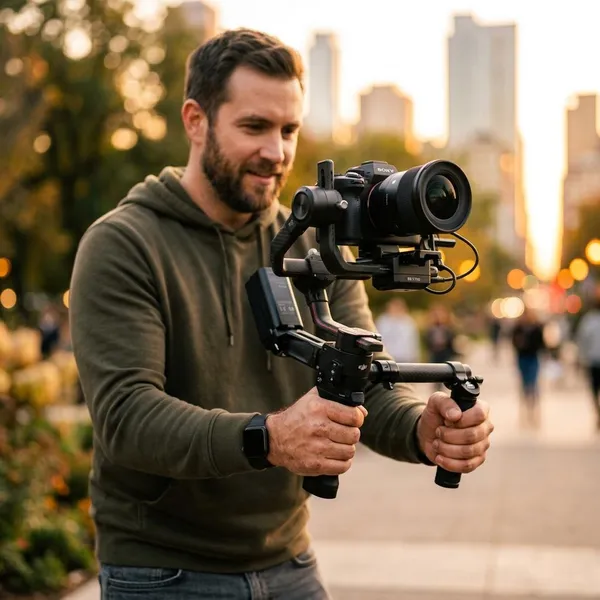
Motorized gimbal for weddings and events
For weddings and events, a motorized gimbal is usually the better choice because the moments are unpredictable and cannot be repeated. You may need to follow people through doorways, move around tables, film entrances, and hold a stable frame during speeches or first dances.
If your event rig includes a microphone, monitor, or wireless system, lean toward a stronger model such as the DJI RS 4 Pro. For a lighter camera with fewer accessories, the DJI RS 4 may be enough and will be easier to carry for long stretches.
Lightweight gimbal for run-and-gun shooting
Run-and-gun shooting rewards gear that is quick to grab and easy to carry. A lighter gimbal is often better than a heavier high-payload model because you are more likely to keep it with you, set it up fast, and use it before the shot disappears.
- Choose lightweight for travel, casual events, school projects, and quick content shoots.
- Avoid overbuying if your camera stays compact and you rarely mount accessories.
- Prioritize speed if you often move between locations or shoot alone.
Higher-payload gimbal for professional rigs
A higher-payload gimbal is the better fit when the camera is only one part of the rig. Monitors, wireless transmitters, focus systems, cages, handles, and larger batteries can change both weight and balance.
The DJI RS 4 Pro and Zhiyun Crane 4 are the stronger fits for this type of setup. The right one depends on your camera shape and accessory layout, so check clearance as carefully as payload before choosing between them.
Mechanical stabilizer for battery-free operation
A mechanical stabilizer is not the easiest route, but it still has a real place. It is useful when you want a simple tool for outdoor sessions, student projects, low-budget filmmaking, or backup use when charging is inconvenient.
The tradeoff is skill. You need to practice your walking pace, hand control, and turns to get smooth movement. If you want fast, forgiving results, choose a gimbal; if you want a battery-free tool and do not mind learning the technique, the Axler Robin 20 Stabilizer S is a sensible option.
Conclusion
Start with your real camera build, then choose the stabilizer that gives you enough weight margin, enough clearance, and the least friction for the way you shoot. The DJI RS 4 Pro is the safer pick for heavier rigs, the DJI RS 4 is the easier everyday choice for lighter setups, the Zhiyun Crane 4 suits larger changing builds, and the Axler Robin 20 Stabilizer S is best when simple battery-free operation matters more than convenience.