A GoPro gimbal is worth considering when you want smoother walking shots, controlled pans, or cleaner low-light movement than HyperSmooth can reliably give you. The best gopro stabilizer gimbal is not always the most expensive one; it is the one that fits your camera setup, accessories, and how often you are willing to carry extra gear.
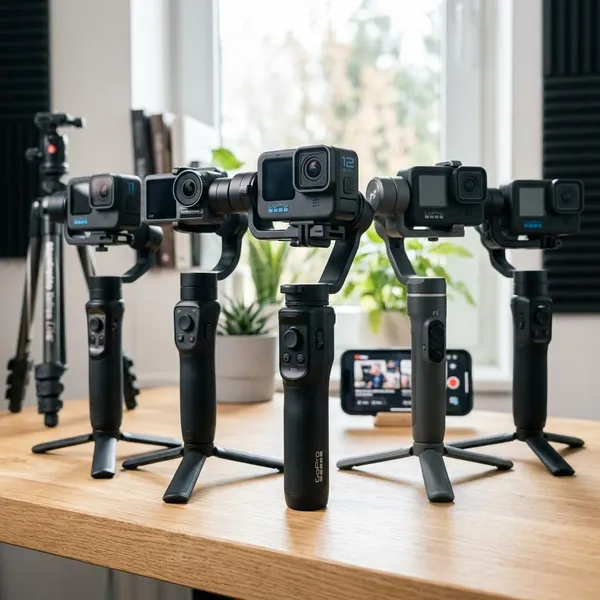
Best GoPro stabilizer gimbals right now
For most buyers, the choice comes down to three practical needs: one gimbal for mixed devices, a lower-cost option for casual footage, or a dedicated action-camera rig. Modern GoPros already stabilize fast action well, so a gimbal makes the most sense when your footage involves walking, slow pans, travel scenes, city nights, or follow shots where handheld movement still looks rough.
| Pick | Best for | Choose it if |
|---|---|---|
| GoPro Fluid Pro AI | Hybrid creators | You switch between a GoPro, phone footage, travel clips, and solo filming. |
| Hohem iSteady Pro 4 | Budget buyers | You want smoother shots without paying for advanced features you may not use. |
| INKEE Falcon Plus | GoPro-first setups | Your main camera is an action camera and you want a focused, compact workflow. |
How to choose a GoPro stabilizer gimbal
Start with fit before features. A gimbal can have strong motors and clever tracking, but it is the wrong buy if your GoPro model, cage, filter, microphone adapter, or battery door does not mount cleanly. After compatibility, check payload, battery life, weather tolerance, balancing, and controls in that order.
Check GoPro model compatibility
Confirm that the gimbal supports your exact GoPro model, not just "GoPro" in a general sense. Small body changes can affect clamps, screen access, charging access, and balance.
Do one practical check before buying: search for your GoPro model plus the gimbal name and look for real setup photos or videos. Product lists are useful, but user examples often reveal blocked doors, awkward button access, or firmware quirks faster.
Check camera and accessory weight
A bare GoPro is one thing; a GoPro with a cage, ND filter, light, or audio adapter is another. If the motors are close to their limit, you may see tiny vibrations, drifting, shorter battery life, or a gimbal that needs constant rebalancing.
- Simple setup: bare camera or light frame, lower payload risk.
- Creator setup: cage, mic adapter, filter, or light, choose more motor headroom.
- Common mistake: checking camera weight but forgetting the accessories used every shoot.
Compare battery life
Battery life matters most when you shoot in short bursts over a long day. A gimbal that lasts through several sessions is usually more useful than one with extra features but weak endurance.
For travel days, hikes, events, or road trips, check whether the gimbal can be charged from a power bank and how awkward it is to charge while packing. Treat advertised battery life as a best-case estimate, especially if you use accessories or keep the motors working hard.
Consider weather resistance
Do not assume a GoPro gimbal is waterproof because the camera is. Many stabilizers may tolerate light outdoor use, but motors and electronics are still vulnerable to rain, spray, sand, and salt water.
A beach walk, misty trail, or winter city shoot is a different risk from filming indoors or in dry weather. If water, dust, or cold conditions are common for you, weather resistance should rank above smart tracking features.
Check mounting and balancing
Mounting should be quick enough that you will actually use the gimbal. If setup takes several minutes every time, it becomes annoying during family trips, street filming, or quick travel moments.
Look for a mount that keeps the screen usable, does not block the controls you need, and can return to the same balance position after removing the camera. Marked adjustment points, firm locks, and a clean quick-release system are small details that make daily use much easier.
Compare tracking and control features
Tracking, app controls, and presets are worth paying for if you often film yourself or need repeatable camera moves. If you mostly shoot scenery, cycling footage, or first-person action, motor stability, mounting, and battery life usually matter more.
- Write down your normal setup. Include the GoPro model, cage, filter, mic, light, and adapter.
- Rank your footage type. Walking, low light, solo talking clips, and slow pans benefit most from a gimbal.
- Decide on hybrid use. Phone support is valuable only if you will genuinely use it.
- Check the annoying details. Ports, screen access, balance marks, and charging can decide whether the gimbal stays in your bag.
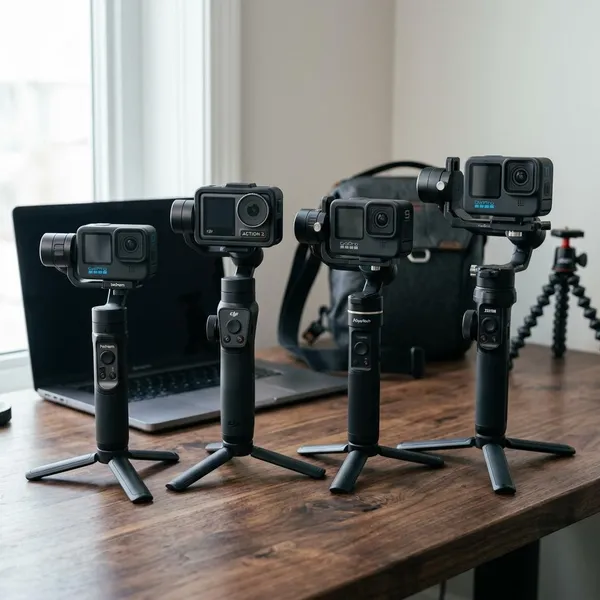
Which GoPro gimbal is right for you?
The right pick depends on your routine more than the brand name. If your GoPro is only one part of your content kit, choose flexibility. If you are unsure how often you will use a gimbal, keep the price sensible. If your whole setup is built around an action camera, a dedicated option is easier to justify.
GoPro Fluid Pro AI for hybrid creators
Choose the GoPro Fluid Pro AI if your content moves between devices and formats. A weekend traveler who records GoPro walking shots, phone reels, and self-shot clips will get more value from one flexible stabilizer than from a narrow GoPro-only tool.
It is also the better choice if solo shooting matters. Tracking and remote control features are not just extras when you regularly film yourself walking through a scene, demonstrating gear, or setting up a shot without another person behind the camera.
Hohem iSteady Pro 4 for budget buyers
The Hohem iSteady Pro 4 is the safer buy if you mainly want an affordable improvement over handheld footage. It is especially sensible for occasional users who film trips, family moments, or casual outdoor clips and do not want to learn a more complex system.
Skip the budget route if your setup is already heavy or accessory-heavy. Saving money is less useful if the gimbal struggles with the way you actually film.
INKEE Falcon Plus for action camera users
Pick the INKEE Falcon Plus when your GoPro is the center of your kit. It fits the user who has already moved beyond quick handheld clips and wants a compact, GoPro-first stabilizer for repeated action-camera work.
- Choose Fluid Pro AI: mixed GoPro and phone shooting, solo content, travel variety.
- Choose iSteady Pro 4: lower budget, simple use, occasional smoother footage.
- Choose Falcon Plus: GoPro-first workflow, action-camera accessories, repeatable setup.
Conclusion
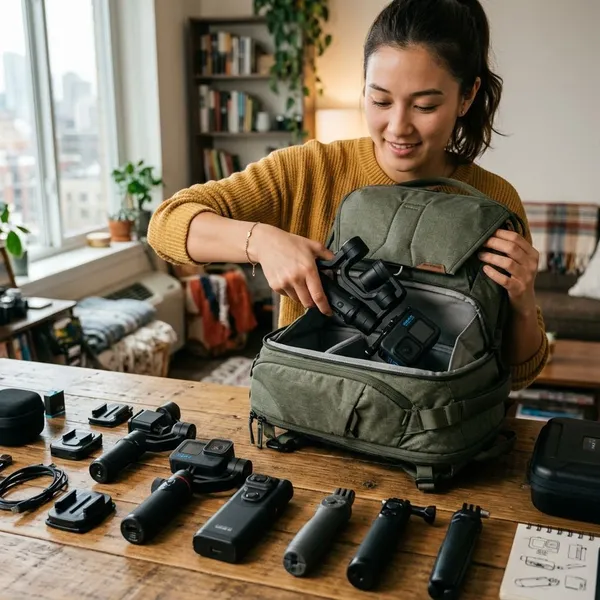
A GoPro gimbal is easiest to justify when it solves a specific problem you already notice: bouncy walking clips, awkward pans, darker scenes, or solo shots that need steadier framing. Choose the Fluid Pro AI for mixed creator work, the Hohem iSteady Pro 4 for a lower-cost first gimbal, and the INKEE Falcon Plus if your setup is built around a GoPro. If you are not sure you will carry it regularly, prioritize simple mounting and compatibility over advanced features.