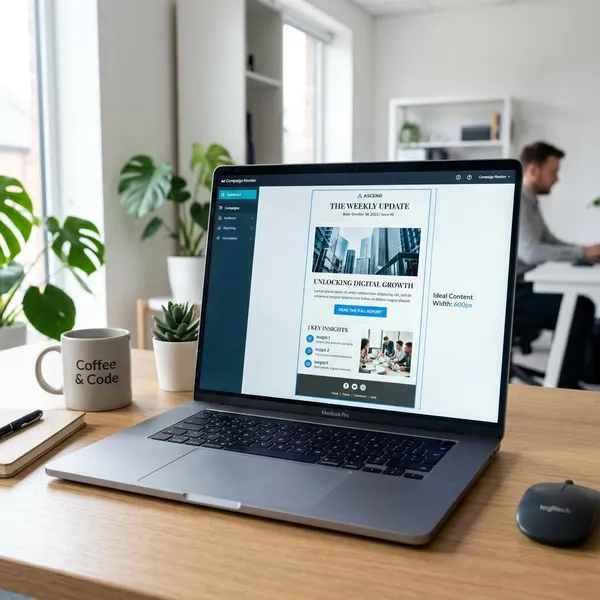
A newsletter content strategy works when it makes one thing clear before you write: who the email is for, what useful promise it keeps, and what action you want readers to take next. Start with one main goal, a few repeatable content pillars, and a cadence you can actually maintain; the design and automation can come later.

What is a newsletter content strategy?
A newsletter content strategy is the plan behind your recurring emails. It defines the reader, the purpose, the topics you return to, the format you use, and the metrics that show whether the newsletter is doing its job.
Clear goals and audience
The first check is whether your newsletter has one main job. It might build trust before a sale, bring readers back to your content, support existing customers, or drive bookings and purchases. If the goal is vague, the email usually becomes a mix of news, links, and offers with no clear reason to open it.
The audience needs the same level of focus. A newsletter for first-time buyers should explain more and assume less. A newsletter for experienced users can move faster, use sharper examples, and link to more advanced resources.
Focused content pillars
Content pillars are the recurring themes that keep your newsletter from drifting. Three to five pillars is usually enough for a business newsletter because it gives you variety without making planning messy.
- Good pillar: "simple maintenance tips for busy homeowners."
- Too broad: "home content."
- Good pillar: "weekly workflow fixes for freelance designers."
- Too vague: "productivity."
Consistent format and cadence
Readers should not have to relearn your newsletter every time they open it. A familiar structure, such as a short opening, one main idea, a useful resource, and one call to action, makes the email easier to scan.
Cadence should be based on quality and capacity, not ambition. A solo founder with limited writing time may get better results from a strong biweekly newsletter than a weak weekly one. A media brand with steady content production may be able to send more often without wearing readers out.
Metrics for improvement
Metrics only help if they lead to a decision. Open rate can tell you whether the subject line and sender name are pulling attention. Click-through rate shows whether the content and CTA were compelling enough. Unsubscribes and spam complaints warn you when the promise and delivery are out of sync.
Do not judge every newsletter by sales alone. If the goal is education, replies, clicks, saves, or visits to a resource may matter more. If the goal is revenue, focus on CTA clicks, purchases, booked calls, or qualified leads.
How to build a newsletter content strategy
The easiest way to build a usable strategy is to make a few clear choices in the right order. Decide the goal first, then the reader, then the content pillars, then the format and schedule. If you start with templates or send times, you may make the newsletter look better without making it more useful.
Set one main goal
Choose the main result the newsletter should support for the next few months. Not every issue has to sell, educate, and drive traffic at the same time.
- Trust goal: send practical advice that helps people before they are ready to buy.
- Traffic goal: point readers to articles, tools, product pages, or seasonal resources.
- Conversion goal: move warm subscribers toward a booking, purchase, demo, or download.
- Retention goal: help current customers get more value after they buy.
Define your target reader
Write for a real situation, not a broad demographic. "Small business owners" is still too wide. "Owners of local service businesses who want simple marketing ideas but do not have a full-time marketer" gives you a clearer voice, topic range, and CTA.
Use what you already know: customer questions, search queries, sales objections, support tickets, purchase history, and past email clicks. If readers often ask beginner questions, do not write like they are experts. If they already know the basics, do not waste the first half of every issue explaining them again.
Choose your content pillars
Pick pillars at the point where reader interest and business relevance overlap. A topic may be popular, but if it never connects to what you sell or the relationship you want to build, it can pull the newsletter off course.
| Newsletter type | Useful pillar examples | What to avoid |
|---|---|---|
| Local service business | common problems, seasonal reminders, simple prevention tips, customer questions | too many company updates |
| B2B software | workflow tips, product education, customer wins, industry changes | feature dumps with no use case |
| Ecommerce brand | buying advice, care tips, curated picks, customer examples | discount-only emails every week |
Plan your content mix
Your mix is the balance between helpful content, proof, interaction, and promotion. A good default is to make most issues useful even if the reader does not buy that day, then add promotion when it fits the topic.
For a new list, lean heavier on education and trust-building because subscribers may not know you well yet. For a warmer customer list, product tips, customer stories, and timely offers can appear more often because the relationship is already stronger.
Set your format and cadence
Choose a format that matches your team's real capacity. A weekly newsletter sounds good until every issue becomes rushed. A monthly newsletter can work, but it needs to feel worth the wait.
- Weekly: best when you have steady ideas, a simple format, and enough production support.
- Biweekly: a good middle ground for small teams that want consistency without pressure.
- Monthly: better for deeper roundups, seasonal advice, or lower-volume businesses.
The safer rule is to send less often with a clear promise than more often with filler. Readers notice when a newsletter exists only because the calendar says it has to.
Choose your main CTA
Each issue needs one primary next step. It can include supporting links, but the main CTA should be obvious enough that a skimming reader understands what matters most.
Match the CTA to the issue's intent. If the email teaches a quick concept, send readers to a deeper guide or checklist. If it tells a customer story, the next step might be a product page, consultation, or relevant case study. Avoid vague buttons like "Learn more" when a more specific phrase would reduce hesitation.
Build an editorial calendar
An editorial calendar does not need to be complex. A simple spreadsheet can keep the newsletter focused if it includes the few details that affect execution.
- Send date: when the issue will go out.
- Main topic: the one idea the issue is built around.
- Content pillar: the theme it supports.
- Primary CTA: the action you want readers to take.
- Owner: the person responsible for drafting, reviewing, or sending.
- Result: the metric you will check after sending.
What content should your newsletter include?
A strong newsletter usually includes more than one type of content, but every piece should earn its place. The test is not "Do we have enough sections?" The better question is "Will this help the reader learn, decide, trust us more, or take a useful next step?"
Educational content
Educational content is often the safest foundation because it gives readers a reason to stay subscribed even when they are not ready to buy. Keep it practical: a short how-to, a checklist, a mistake to avoid, or a plain-English explanation of a confusing topic.
Curated resources
Curated resources work well when your audience is busy and wants help filtering information. Share fewer links, but add a sentence on why each one is worth attention.
- Useful: "A plain-language guide to the new rule and who it affects."
- Weak: "Here are five articles we found interesting."
- Useful: "A tool that helps compare monthly costs before choosing a plan."
- Weak: "Check out this resource."
Customer stories
Customer stories are strongest when they show a specific before-and-after situation. A vague testimonial is easy to ignore. A short story about how a customer saved time, avoided confusion, or solved a recurring problem gives readers a clearer reason to trust you.
Keep the story tied to the reader's decision. If the audience is cautious and comparing options, show what changed after the customer chose your approach. If the audience already uses your product, show a clever way to get more value from it.
Interactive content
Small interactions can make a newsletter feel less one-way. A quick poll, preference question, one-click feedback option, or "choose next week's topic" prompt can give readers an easy way to respond.
This is especially useful when you are unsure what your list wants. If a new audience keeps clicking beginner tips and ignoring advanced pieces, that is a signal to adjust the content mix before you lose attention.
Relevant promotions
Promotions belong in a newsletter when they are connected to a real reader need. A seasonal offer, subscriber-only bonus, product bundle, service reminder, or relevant download can work well if it matches the issue topic.

How to structure each newsletter
Most readers skim before they commit. A clear structure helps them understand the point quickly, especially on mobile, and makes the newsletter feel easier to read even when the topic is detailed.
A clear subject line
The subject line should make a specific promise the email can keep. Clear usually beats clever because readers are deciding fast.
A short opening
The opening should explain why the topic matters now and move quickly into the main value. Two or three sentences is often enough.
If the issue is about summer maintenance, mention the seasonal problem and get to the tip. If it is about a new feature, say what job it helps the reader do. Long warm-ups are one of the easiest ways to lose people before they reach the useful part.
One main topic
One main topic gives the issue a center. Supporting links or sections can appear, but they should connect back to the same idea.
A scattered newsletter can feel busy while still being forgettable. If you have five unrelated updates, consider turning one into the main issue and moving the rest into a smaller "also useful" section or saving them for later.
Easy-to-scan sections
Use short sections, plain labels, enough white space, and formatting that helps the reader choose where to spend attention. This is not just a design choice; it affects whether the message is understood.
- Put the main point early: do not hide the useful idea in the fourth paragraph.
- Use subheads for real sections: avoid decorative labels that say nothing.
- Keep mobile in mind: long blocks feel even longer on a phone.
- Highlight only what matters: too much emphasis makes nothing stand out.
One clear CTA
The main CTA should be easy to find and specific about what happens next. "Download the checklist," "Book a 15-minute call," or "See the seasonal picks" is clearer than a generic button.
If you include several links, decide which one matters most before you write the email. That choice helps the layout, copy, and measurement stay focused.

Conclusion
The best newsletter plan is the one you can keep using without lowering the quality. Choose one goal, write for a specific reader, build around a few useful pillars, and send on a rhythm that feels sustainable; once that foundation is clear, every issue becomes easier to plan, judge, and improve.